Contribute.Compete.ClimbtheRanks.
RankForge is a contributor platform for devs that gamifies open-source contributions. Create your profile, log contributions, and get evaluated by admins to earn your rank.
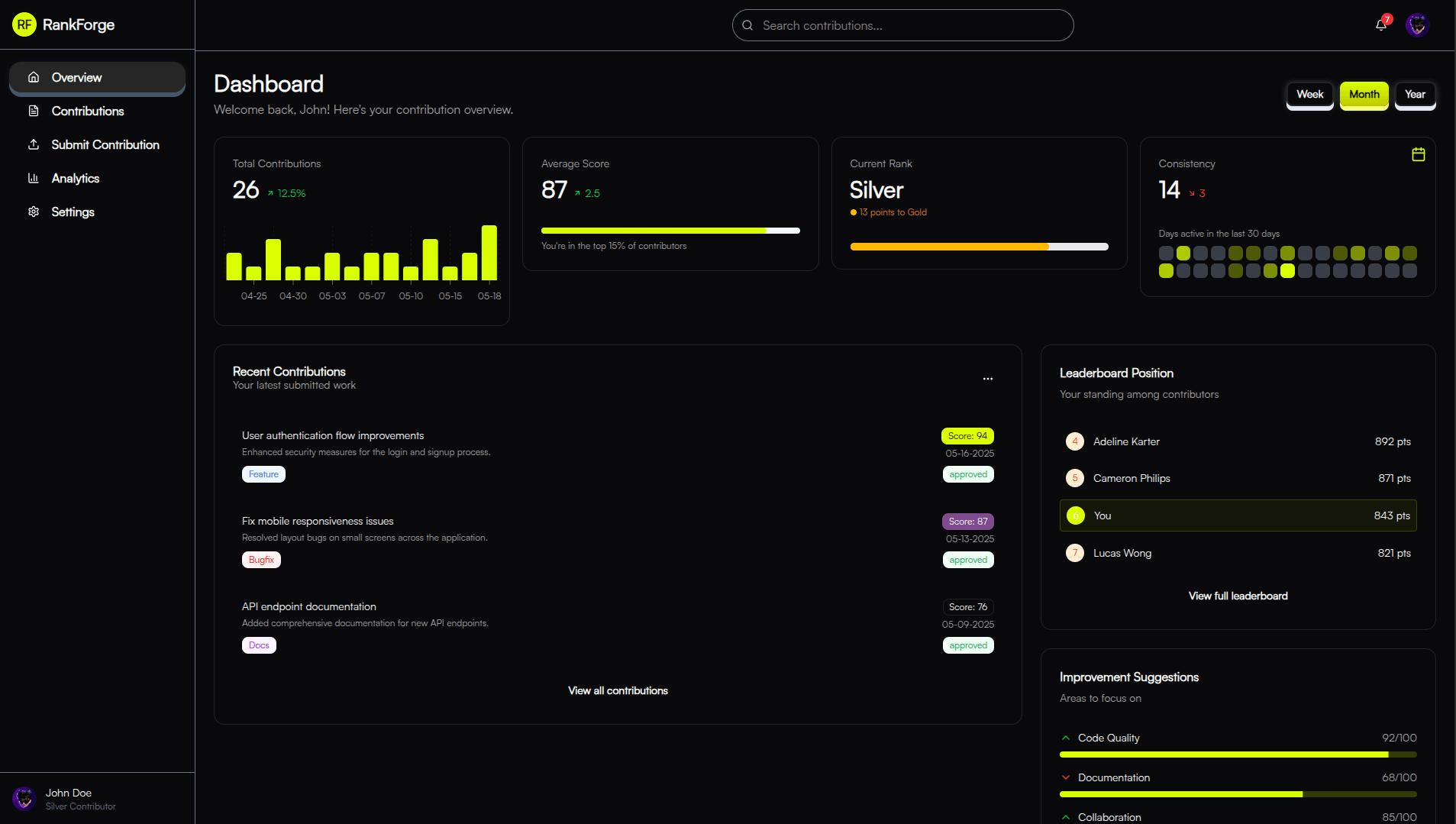
Features
Everything You Need to Excel
RankForge offers a comprehensive set of tools to track, improve, and showcase your open-source contributions.
Track Your Progress
Monitor your contributions and scores over time with detailed analytics and visual dashboards.
Leaderboard Rankings
Compete with other contributors and see where you stand on our global leaderboard.
Transparent Evaluations
Receive detailed feedback from admins with specific scores across multiple criteria.
Profile Showcase
Create and customize your profile to showcase your contributions and achievements.
Contribution Log
Submit and track all your contributions in one centralized platform.
Real-time Notifications
Get instant updates when your contributions are evaluated or when you achieve a new rank.
Process
How RankForge Works
Follow these simple steps to start contributing and climbing the ranks.
Create Your Profile
Sign up and create your contributor profile with your skills, experience, and interests.
Submit Contributions
Log your open-source contributions through our simple submission form, providing all relevant details and links.
Get Evaluated
Admins review your submissions and provide detailed scores across multiple criteria, along with feedback.
Climb the Ranks
As your contributions accumulate and scores improve, you'll rise through the ranks on our global leaderboard.
By The Numbers
Growing Community
Join thousands of developers who are already tracking their contributions and improving their skills.
Testimonials
What Our Users Say
Discover how RankForge has helped contributors and admins improve their open-source experience.
RankForge has completely transformed how I contribute to open-source projects. The scoring system provides clear feedback on my work and motivates me to improve.

Alex Johnson
Senior Contributor
As an admin, RankForge makes it easy to evaluate contributions fairly and consistently. The platform has helped us attract and retain high-quality contributors.
Sarah Chen
Project Admin
The leaderboard feature creates a friendly competition that pushes everyone to do their best work. I've learned so much faster by participating in this community.
Michael Okonkwo
Junior Developer
I love how RankForge gamifies the contribution process while still maintaining professionalism. It's made contributing to projects much more engaging and rewarding.
Priya Sharma
Open Source Enthusiast
FAQ's
Frequently Asked Questions
Have questions? We've got answers.
What is RankForge?
RankForge is a contributor platform for the idan-devs repository that enables contributors to create profiles, log contributions, and get evaluated by admins. It aims to gamify and structure the contribution process while providing visibility and rewards through a scoring system.
Who can use RankForge?
RankForge is designed for contributors who want to participate in the idan-devs repository projects. Both contributors and admins can use the platform to submit contributions and evaluate them respectively.
How does the scoring system work on RankForge?
RankForge uses a numerical scoring system from 0 to 100. Scores are broken down by specific criteria, and contributors can track their historical scores with visual progress indicators and animated updates for transparency and motivation.
What kind of user experience does RankForge offer?
RankForge focuses on providing an intuitive flow for both contributors and admins. It features a straightforward contribution submission process, a transparent scoring system, and an engaging leaderboard to motivate users.
Is RankForge accessible on mobile devices?
Yes, RankForge is designed with responsive layouts to ensure it works seamlessly across all screen sizes, including mobile devices, with a collapsible sidebar for easier navigation on smaller screens.
How can I get started with RankForge?
To get started, you can sign up with your GitHub email, create a profile, and begin submitting contributions through the contributor dashboard. For more details, you can contact the support team via the provided contact information on the platform.
Stay Updated with RankForge
Get the latest updates, news, and tips for maximizing your contributions.